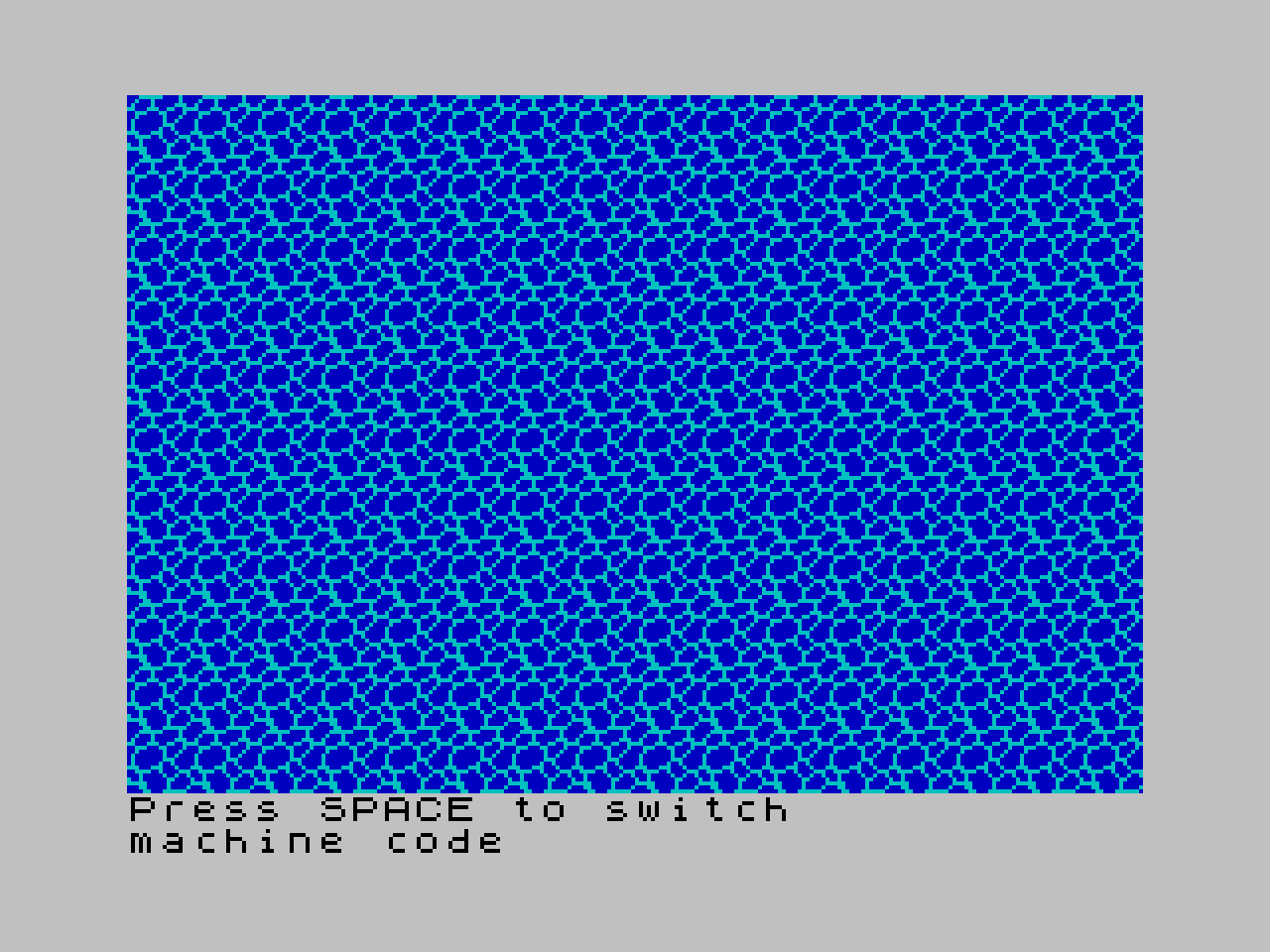
An implementation of a water animation for the ZX Spectrum using Sinclair BASIC and “rotating UDGs”, including a machine code version.
Download .tap file
A while ago I saw a thread on Twitter
featuring a very nice pixel water animation and some great information about how it was done. It
could be downloaded as a .png, and since
then I have wanted to have a go at using it on the ZX Spectrum. All the complexity of the super
smooth movement is contained within the five frames of animation, so it felt like something that
might work surprisingly well.
I also saw a nice trick recently in the Animated Alex Discord
about a water effect created by “rotating UDGs”. In other words, you POKE a system variable that
contains the start location of the User Defined Graphics so that the same UDGs can be PRINTed to
the screen but rotated by cycling that value, which simulates waves moving across the ocean. Credit
goes to WhatHoSnorkers for this.
Basically, if you have a 16x16 tile represented by "ABCD", then shifting the system variable by
4*8 bytes, i.e., 32, animates that tile to "EFGH" when it is redrawn. This can be cycled using a
FOR loop or the line LET offset = offset + 32 AND offset < 127, then POKE 23675, offset + 88,
for the five frames. I tried this first in Sinclair BASIC and then in machine code, with both
versions using the same UDG rotation trick.
A quick demo
Play it now
A few notes on what I did
Talk is cheap, show me the code.
I managed to split up the .png and convert it into Z80 defb statements using a combination of
ImageMagick and some custom code rolled into a .exe that became part
of the build pipeline. It is all very rough and ready, so I have only included the .exe for now,
but I will open source it once I have tidied it up and made it configurable for any size of .png
and any number of frames. I then reused a PowerShell script from my last project to convert this
into DATA statements so it could be included in the BASIC listing.
It worked, but it was also very “choppy”, if you will excuse the pun. I am generally trying to keep
things BASIC-y, so I did try to improve it using something known as the DEFADD
trick, but
at that point it started to feel a bit like yak shaving.
I still want to come back to that, but for now I decided to build a machine code version instead.
This still uses the UDG rotation trick, and POKEing the system variable lets you switch between
UDG banks, or even the default character set, so the machine code routine can also display normal
text. Useful!
This time I did not convert the machine code routine into DATA statements. Instead, I used the
BASIC listing as a loader for the pasmo-generated .tap
file, and concatenating the .tap files in the build pipeline “just works”. It also uses a screen
buffer that is fully populated before calling LDIR to flush the data to the screen as quickly as
possible and reduce choppiness. This takes up a fair chunk of memory, 6144 bytes, so it is probably
not something you would do for anything other than a small demo, but I wanted to give the Speccy
the best chance possible. It still flickers, because the time it takes to copy 6144 bytes with
LDIR is longer than the time between screen refreshes, or interrupts. Oh well.
The zmakebas version, which does not include the appended
DATA statements for the UDGs but is more readable, is as follows.
@begin:
CLEAR 58971
LOAD ""CODE
REM gfx_txt(row, column, width, height, string$)
DEF FN A(R,C,W,H,S$) = USR 58972

LET a$=""
LET b$=""
LET s$=""
FOR i=1 TO 16
    LET a$=a$+"\a\b"
    LET b$=b$+"\c\d"
NEXT i
FOR i=1 TO 11
    LET s$=s$+a$+b$
NEXT i

GO SUB @loadudgs

INK 1 : PAPER 5 : CLS

PRINT #1; AT 0,0; "Press SPACE to switch"
PRINT #1; AT 1,0; "BASIC"
LET basic=1
LET mc=0

LET offset = 0
@main_loop:
REM shift UDG start position to simulate animation
LET offset = offset + 32 AND offset < 127
POKE 23675, offset + 88
REM BASIC version
IF basic = 1 THEN PRINT AT 0,0; s$
REM m/c version (also temporarily points UDGs at normal font to redisplay instructions)
IF mc = 1 THEN RANDOMIZE FN A(0,0,32,22," ! ! ! ! ! ! ! ! ! ! ! ! ! ! ! !""#""#""#""#""#""#""#""#""#""#""#""#""#""#""#""#") : POKE 23675 , 0 : POKE 23676 , 61 : RANDOMIZE FN A(22,0,21,2,"Press SPACE to switchmachine code         ") : POKE 23675, 88 + offset : POKE 23676, 255
REM read key
LET key = PEEK 23560
REM swap versions
IF key = 32 AND basic = 1 THEN LET basic = 0 : LET mc = 1 : POKE 23560, 0 : GO TO @main_loop
IF key = 32 AND mc = 1 THEN LET mc = 0 : LET basic = 1 : PRINT #1; AT 1,0; "BASIC       " : POKE 23560, 0 : GO TO @main_loop
GO TO @main_loop
The following is the ZX-Basicus optimised Sinclair BASIC version, which also has the UDGs appended. This is generated by the build pipeline.
10 CLEAR 58971 :  LOAD "" CODE  :  DEFFN A ( R , C , W , H , S$ )  =  USR 58972 :  LET a$ = "" :  LET b$ = "" :  LET s$ = ""
24 FOR i = 1 TO 16 :  LET a$ = a$ + "\udg(AB)" :  LET b$ = b$ + "\udg(CD)" :  NEXT i
32 FOR i = 1 TO 11 :  LET s$ = s$ + a$ + b$ :  NEXT i :  GOSUB 80
40 INK 1 :  PAPER 5 :  CLS
42 PRINT  # 1 ;  AT 0 , 0 ; "Press SPACE to switch" :  PRINT  # 1 ;  AT 1 , 0 ; "BASIC" :  LET c = 1 :  LET a = 0 :  LET d = 0
54 LET d = d + 32 AND d < 127 :  POKE 23675 , d + 88 :  IF c = 1 THEN  PRINT  AT 0 , 0 ; s$
64 IF a = 1 THEN  RANDOMIZE  FN A ( 0 , 0 , 32 , 22 , " ! ! ! ! ! ! ! ! ! ! ! ! ! ! ! !""#""#""#""#""#""#""#""#""#""#""#""#""#""#""#""#" )  :  POKE 23675 , 0 :  POKE 23676 , 61 :  RANDOMIZE  FN A ( 22 , 0 , 21 , 2 , "Press SPACE to switchmachine code         " )  :  POKE 23675 , 88 + d :  POKE 23676 , 255
68 LET b =  PEEK 23560 :  IF b = 32 AND c = 1 THEN  LET c = 0 :  LET a = 1 :  POKE 23560 , 0 :  GOTO 52
74 IF b = 32 AND a = 1 THEN  LET a = 0 :  LET c = 1 :  PRINT  # 1 ;  AT 1 , 0 ; "BASIC       " :  POKE 23560 , 0 :  GOTO 52
76 GOTO 52
80 RESTORE 86 :  LET i =  USR "a" :  LET z = i + 160 - 1 :  FOR x = i TO z :  READ y :  POKE x , y :  NEXT x :  RETURN
86 DATA 224 , 221 , 189 , 56 , 199 , 223 , 191 , 191
88 DATA 123 , 251 , 241 , 204 , 61 , 187 , 183 , 143 :  DATA 191 , 28 , 195 , 239 , 111 , 7 , 231 , 243 :  DATA 111 , 119 , 120 , 182 , 207 , 223 , 222 , 129 :  DATA 222 , 158 , 24 , 227 , 231 , 223 , 223 , 223 :  DATA 123 , 249 , 118 , 14 , 222 , 221 , 195 , 155 :  DATA 143 , 224 , 243 , 119 , 7 , 119 , 243 , 224 :  DATA 61 , 60 , 152 , 199 , 207 , 207 , 192 , 59 :  DATA 239 , 14 , 113 , 243 , 247 , 239 , 207 , 119 :  DATA 120 , 59 , 135 , 207 , 238 , 225 , 237 , 158 :  DATA 248 , 251 , 119 , 135 , 187 , 121 , 254 , 247 :  DATA 62 , 28 , 131 , 199 , 227 , 192 , 29 , 125 :  DATA 166 , 128 , 185 , 123 , 247 , 231 , 57 , 126 :  DATA 27 , 231 , 231 , 231 , 246 , 240 , 247 , 15 :  DATA 126 , 125 , 129 , 157 , 222 , 63 , 255 , 119 :  DATA 159 , 204 , 227 , 243 , 227 , 28 , 60 , 60 :  DATA 226 , 217 , 185 , 121 , 113 , 158 , 191 , 127 :  DATA 99 , 247 , 247 , 195 , 248 , 123 , 119 , 15 :  DATA 127 , 60 , 128 , 207 , 223 , 31 , 15 , 199 :  DATA 79 , 230 , 243 , 115 , 173 , 158 , 158 , 157